

In the world of eReaders, there are concepts that many users are familiar with. We come across some of these names daily, making them quite commonplace. One name that many will likely recognize is Calibre Portable . However, many people aren't entirely sure what it is. Therefore, we'll explain it in more detail below.
So you can fully understand what Calibre Portable is, what it's used for, and how it works . That way, if it turns out to be something you're interested in, you can get the most out of it. Ready to learn all about this tool?
First, we 'll explain a bit more about Calibre Portable, what it is, and its main uses . We'll also give you a brief history of its evolution since its market launch. This information will give you a clear understanding of it.
Caliber Portable: What is it and what is it for?
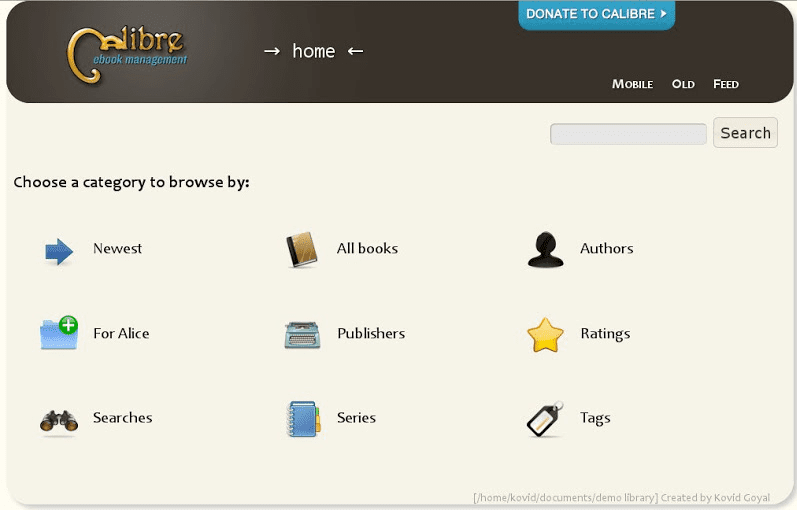
This is a free ebook manager. It allows us to easily catalog and organize ebooks . It stores the books in a database and then allows us to search very precisely for what we're looking for. We can generally store books based on many different parameters such as title, author, publisher, or publication date. This makes it much easier to keep everything well organized, so when we need to find something, it takes much less time.

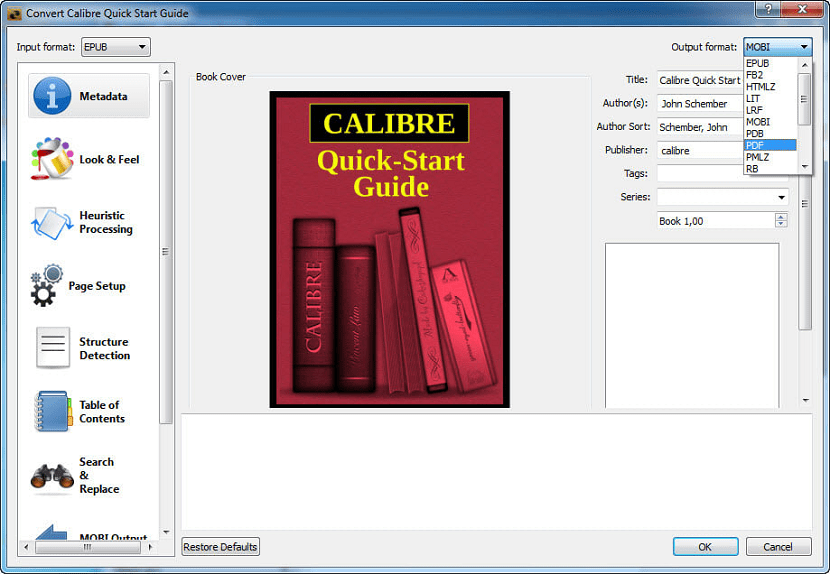
In addition to this, Calibre Portable offers many more options. We can also use it to convert formats . It's a program that allows us to convert eBooks into various formats. Ideal if we have more than one eReader and need to work with different formats. In this case, the program separates input and output formats:
- Input formats: ePub, HTML, PDF, RTF, txt, cbc, fb2, lit, MOBI, ODT, prc, pdb, PML, RB, cbz and cbr
- Output formats: ePub, fb2, OEB, lit, lrf, MOBI, pdb, pml, rb.3
Therefore, we can work with all these types of files thanks to this software. It's a tool that stands out for its versatility , as the vast majority of users can utilize it. It supports the main eBook formats currently in use.
We can also use this software to sync ebooks between some devices . Not all models on the market are supported, as it's limited to Amazon Kindles, some Sony models, and iPhones and iPads. But many users can benefit from this feature.
Finally, we can use Calibre Portable for something else: news searches. We can configure it to automatically search for and send us news from various websites. This isn't possible with all websites, only with those the company has agreements with. But we can get news from the BBC, The New York Times, or The Wall Street Journal on our eReader.

Caliber Portable History

The company that created this software is Calibre, which began operations in 2006. Kovid Goyal is the company's founder. One of the reasons for creating the company was that at the time there were no quality tools that allowed users to convert files to the LRF format that Sony players were using . Therefore, he decided to implement a file converter.
In this way, he could convert the most popular eBook formats on the market to LRF format. This converter became a huge success, and Calibre's popularity skyrocketed . As time went on, the company's founder saw his eBook collection grow steadily. However, managing and administering them became increasingly difficult.
Therefore, he decided to develop an interface that would make it easier to organize all the ebooks he had stored on his eReader. This became what we now know as Calibre Portable. The name was chosen because it represents freedom, as it is a free and open-source program. Therefore, all users can modify it.
A large community has now formed around the company. Many developers and testers are responsible for updating and introducing new features , as well as finding bugs in the program. Furthermore, it has been translated into several languages. Calibre Portable is currently used in 200 countries worldwide, a clear indication of the tool's success.
Its growth is no accident. It has established itself as one of the most versatile tools on the market . As you've seen, it can be used for many different functions, from organizing ebooks to converting between formats. That's why it has become an essential option for many users.
How to download Caliber Portable
The program is constantly updated ; in fact, the last update was at the end of March. Therefore, improvements are introduced regularly, in addition to security enhancements. So it's a safe program that shouldn't give you any problems.
We can download it directly from the company's website , where we can also try a demo. This way, we can see if it's an option that really interests us or not. You can visit the website and download both the demo and the program at this link . Furthermore, we can download it for any operating system and also download a USB version. This allows us to install it later on any device we need. So, it's very convenient to download.
The official website isn't the only place where Calibre Portable is available. There are many other software download sites like Softonic and CCM where you can download it . These are also safe options, so you shouldn't have any problems downloading the program from any of them.
The important thing when looking for the program is to download it from trusted and secure websites . This is important because it prevents any threats from sneaking onto your computer.
How Caliber Portable works

Calibre's interface is incredibly simple and user-friendly . A demo is available on the website, allowing you to see how it works on your computer. You can visit it here and see if you find the design easy to use. Therefore, no user will have any trouble using this tool. You'll find it very convenient and offers a wide range of uses.
You can easily organize all your eBooks, making it much easier to find everything stored on your device. Furthermore, you can organize books according to any criteria you choose (author, title, publisher, publication date, ISBN, etc.). Choose the method that works best for you.
At the top, we have the toolbar, which contains the various options that Calibre Portable offers. We can view all our workbooks and also have the tool that allows us to convert them to other formats. So, if we need to work with a different format at any given time, we can easily convert it using this tool.
We can also easily send them to another device , our eReader in this case, or even an iPhone or iPad. This shows that it's a very versatile tool that offers many possibilities. So don't hesitate to download Calibre Portable, as it will be very helpful.
Table of Contents